Skip to content
HR Help Desk

Give every employee question
a clear way forward

Bring employee questions about payroll, benefits, and policies into one support queue with clear ownership and progress.

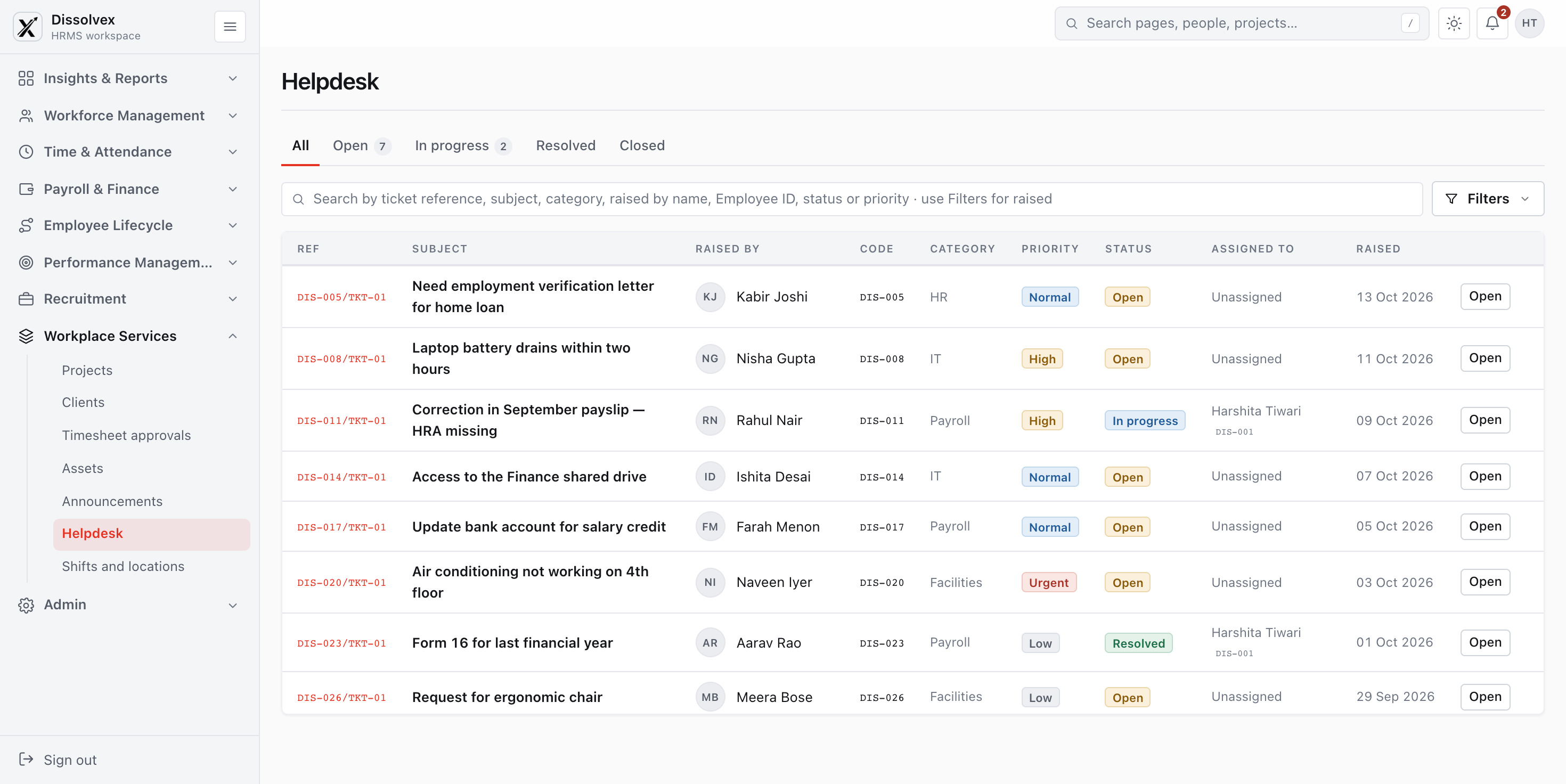
Employee Helpdesk and Support Tickets — dissolveX HRMS
Knowledge Base • Policy FAQs
When is payday, and what happens if a payday falls on a holiday or weekend?
How much is my corporate health insurance coverage and cashless claim limit?
What is the annual leave encashment policy and tax liability at fiscal year-end?
How do I declare income tax savings under the Old vs New Tax Regime?
When is payday, and what happens if a payday falls on a holiday or weekend?
Our regular salary disbursement date is the last working day of each calendar month. If the payday coincides with a weekend, Sunday, or statutory bank holiday (RBI holiday calendar), employee salaries are automatically credited on the immediate preceding working business day.
For detailed payout dates and cut-offs for investment proofs, please refer to the official annual dissolveX Payroll Schedule or raise a ticket directly with the Payroll Help Desk.
Did you find this helpful?
✓ Yes × No
94% Helpful
HR document vault

Put common answers
within everyone’s reach

Make answers to common policy and benefits questions easy to find before someone needs to open a case.

Dynamic Knowledge Vault

Searchable database of employee handbooks, statutory benefits, and office policies.

Predictive Search Assist

Suggested articles appear in real time as employees type ticket titles.

Up to 60% Ticket Deflection

Resolve common queries automatically, freeing HR staff for complex employee needs.

Categories

Get requests to the team
that can resolve them

Let employees raise workplace questions in one place and route each request to the right resolver.

Categorized Request Queues

Organize tickets by Payroll, Health Insurance, Letters, or IT Equipment.

Automated Resolver Routing

Direct tickets to the right departmental owner without manual email forwarding.

Confidential Grievance Flag

Built-in privacy controls for sensitive HR inquiries, compliance, and POSH queries.

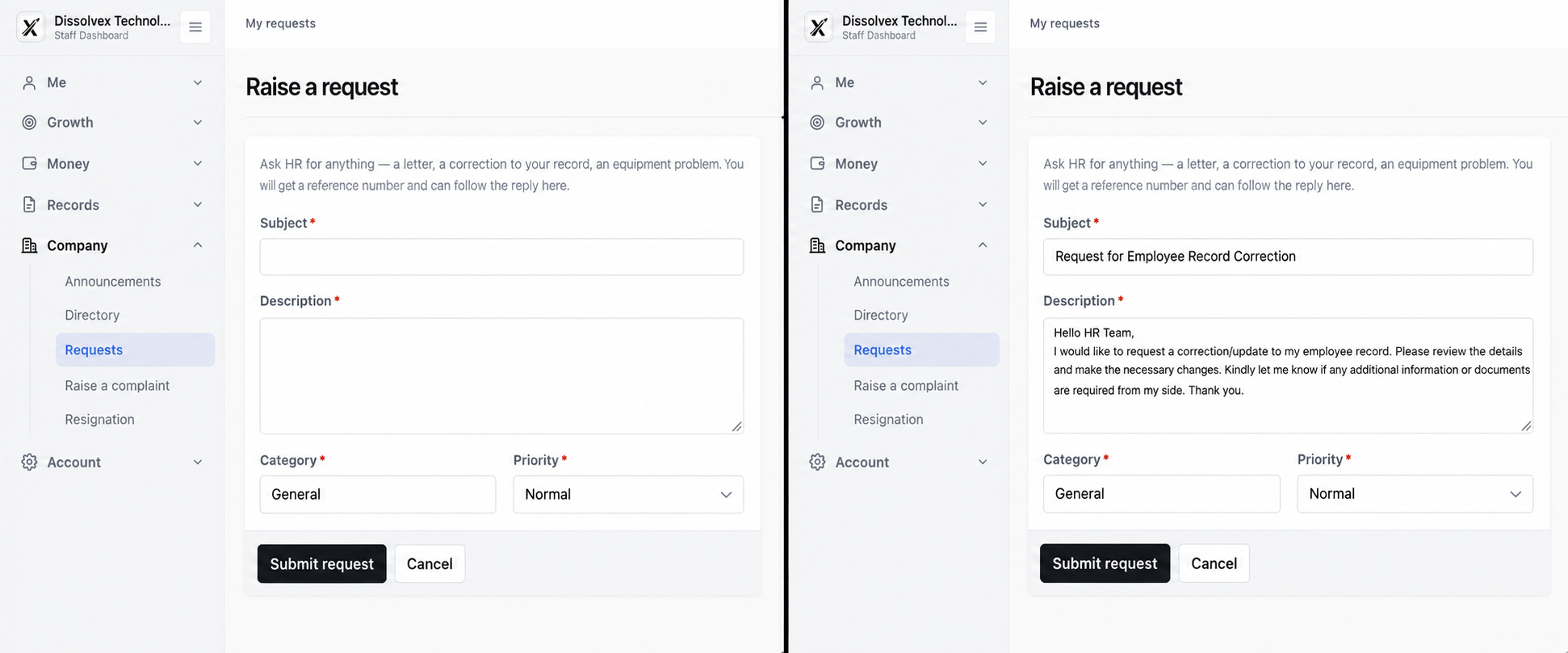
Raise a Support Request — dissolveX HRMS
Agents

Keep support
workloads balanced

Assign specialists to each request category and distribute cases so support stays manageable.

Location-Based Routing

Direct tickets to regional specialists across Mumbai, Bengaluru, Delhi NCR, or global pods.

Intelligent Load Balancing

Automatically route incoming requests to available staff with out-of-office backup coverage.

Private Internal Notes

Collaborate behind the scenes with teammates without exposing internal discussions to employees.

1Setup
2Agents
3Subcategories
4References
5FAQs
Assigned Category Agents
Add agents who can handle and resolve cases in this category
Location / Branch Primary Agent
Mumbai HQ (West)
VS
Vignesh Sharma
EMP-1048 • Lead
Bengaluru Hub (South)
PP
Priya Patel
EMP-1052 • HR Partner
Delhi NCR (North)
AD
Aditi Deshmukh
EMP-1065 • People Ops
Remote / All Branches
RG
Rohan Gupta
EMP-1071 • Tier-2 Specialist
SLA's

See which cases
need attention

Set response targets by category and make overdue or escalating cases visible to the team.

SLA Policy Matrix • Travel & Reimbursement Queries
✓ 98.4% SLA Adherence Active
Level 1 Escalation Rules Standard Ticket SLA
Target Closure Time
1 Day Business Days
Automated Warning Alert
4 Hours Before Active
Escalation Recipient
Vignesh Sharma Lead
Breach Action: Automatically upgrade priority to Urgent and notify HR Operations Head via WhatsApp/Email
Strict Escalation
Why dissolveX

A better support experience
on both sides

Raise a request from anywhere

Let employees and agents follow a case from the first question to the final answer on web or mobile.

Capture feedback after resolution

Ask employees for feedback after a case closes to understand what support can improve.

Follow each case through to closure

Review escalations, resolution quality, and recurring topics to guide support improvements.

FAQ & Help

Frequently Asked Questions

Common questions and answers regarding HR Help Desk & Ticketing in dissolveX HRMS.

How to connect & get started?

It is a central place for employees to ask workplace questions and for support teams to track the response.

It organizes requests by topic, assigns owners, tracks status, and keeps a record of the resolution.

Employees know where to ask for help, while resolver teams can see priorities and follow through on each case.

dissolveX uses request categories, assigned agents, knowledge articles, and status tracking to keep cases moving.

Yes. Category-level service targets and case timelines make response performance visible.

Yes. Employees can see where their case stands while the assigned team works toward a resolution.

HR Help Desk

Make workplace support easier
to rely on

Give employees timely answers and give support teams a clearer way to manage every case.

Faster Resolution
Happier Employees
SLA Compliance
Actionable Insights
Faster Response Times
HR HELP DESK • TICKET MANAGEMENT
Open 12
In Progress 8
Resolved 124
PK
Priya Kohli
Payroll Tax Exemption Query
✓ SLA: 2h remaining
RT
Rohan Tejwani
Health Insurance Dependant Add
In Review
AS
Aman Sharma
PF Transfer & UAN Linking
Assigned to Neha D.
HR
Hi! How can I help you today? • Online
Supported Workplace