Bring travel claims and approvals
into one clear process
Bring travel and expense requests, receipts, approvals, and payroll reimbursement into a connected workflow.
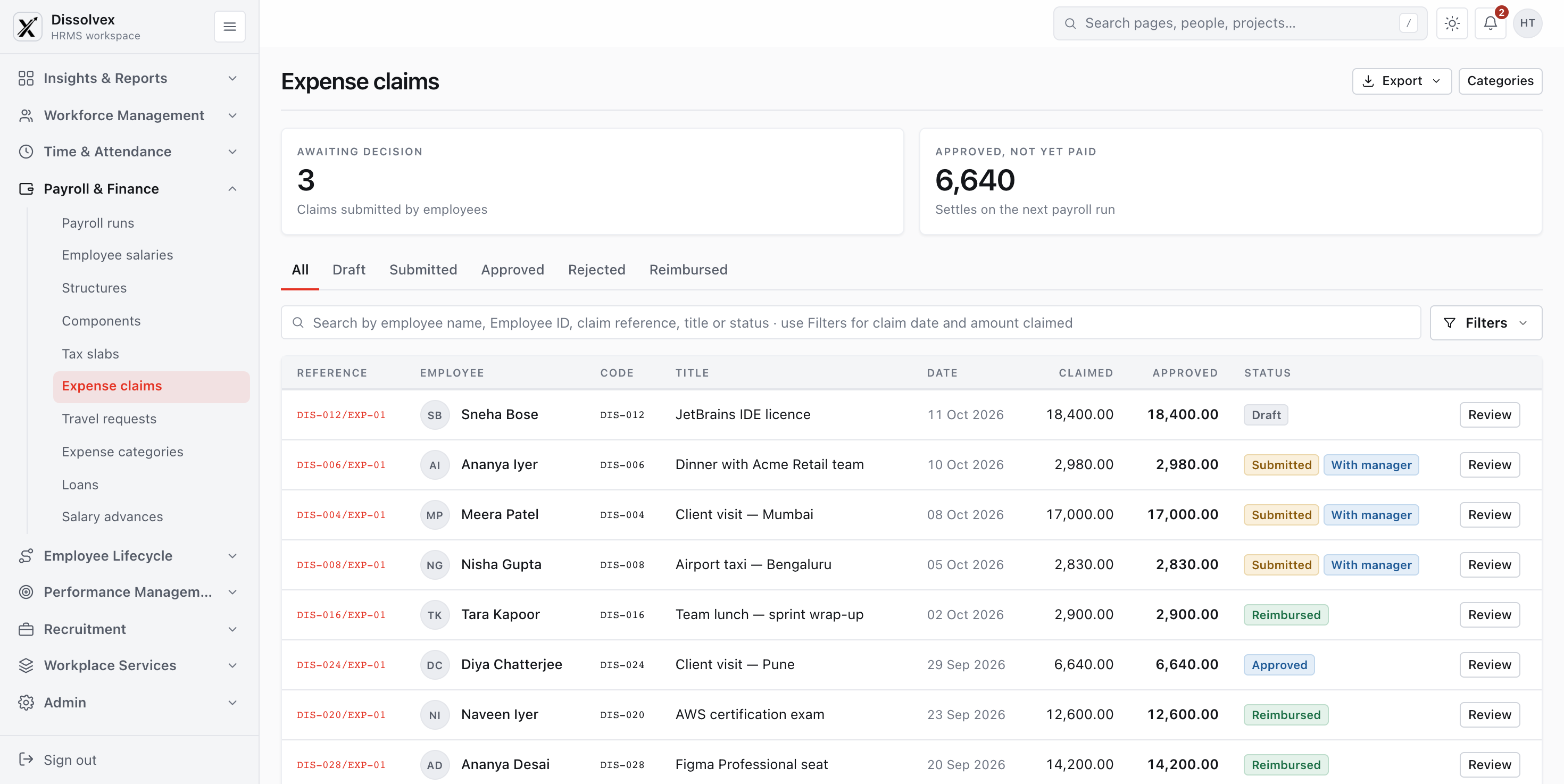
Keep employee, expense, and
payroll records connected
Keep employee and department details available to expense workflows so teams do not have to enter them twice.
-
Zero Manual Onboarding: New hires automatically inherit designated travel policies, allowance tiers, and expense reporting structures the moment they join.
-
Hierarchical Approval Chains: Department manager transitions in HRMS update expense sign-off hierarchies instantly with zero IT intervention.
-
One-Click Payroll Reimbursements: Approved travel claims push directly into regular payroll runs as non-taxable allowances or reimbursements.
-
Offboarding Settlement Protection: Outstanding travel cash advances and pending receipts automatically reconcile during employee exit clearance.
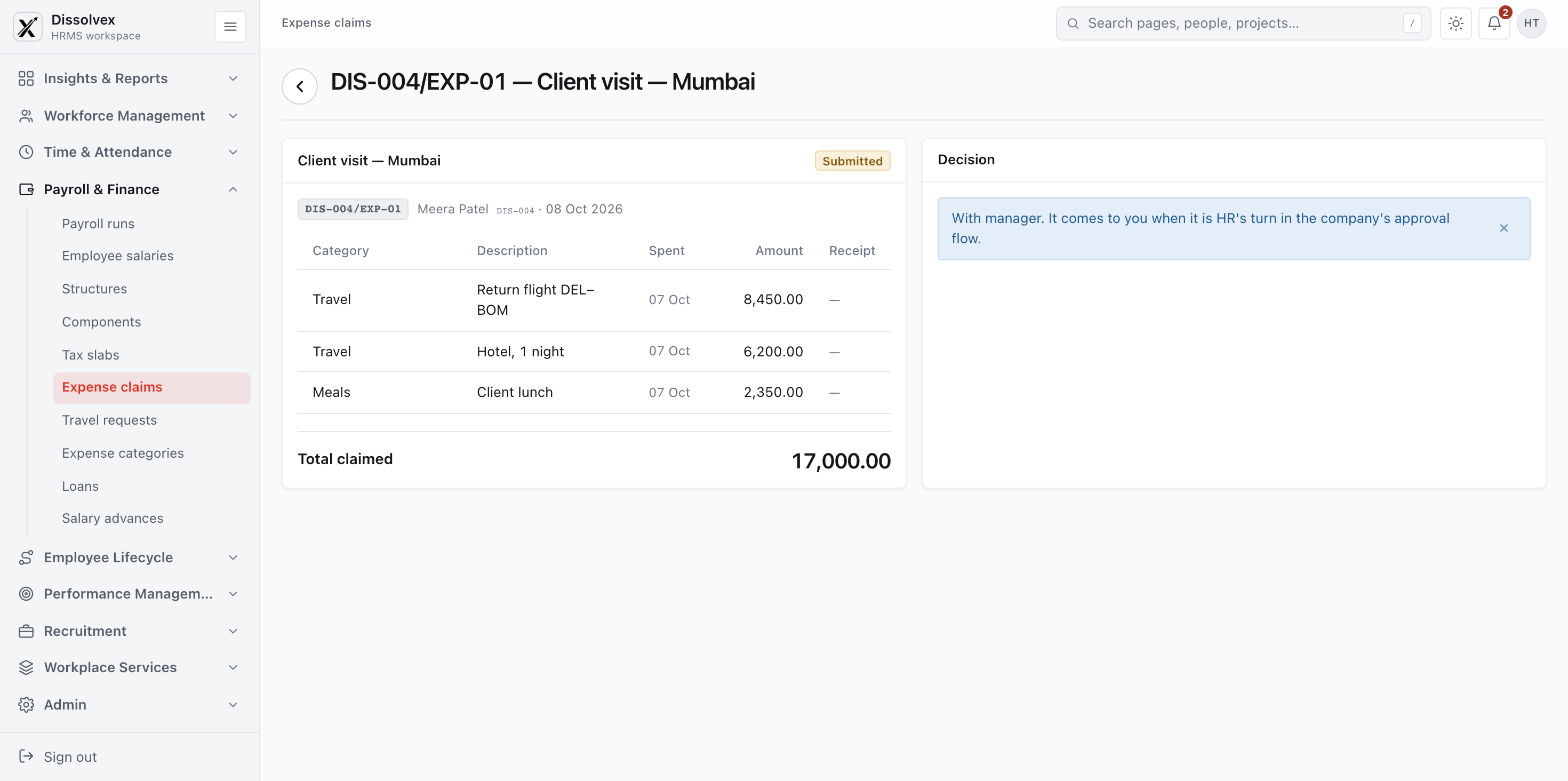
Route each claim to
the right approver
Set approval routes by claim type or amount and make the next reviewer clear at every step.
-
Smart Amount-Based Routing: Route low-value claims automatically, while triggering executive escalations for expenses over defined spending thresholds.
-
Multi-Channel Mobile Approvals: Managers can approve or request clarifications directly from mobile, email, WhatsApp, or Slack without logging in.
-
Proxy & Out-of-Office Delegation: Automatic temporary delegation ensures expense claims never freeze when a designated manager is on annual leave.
See what was
spent and why
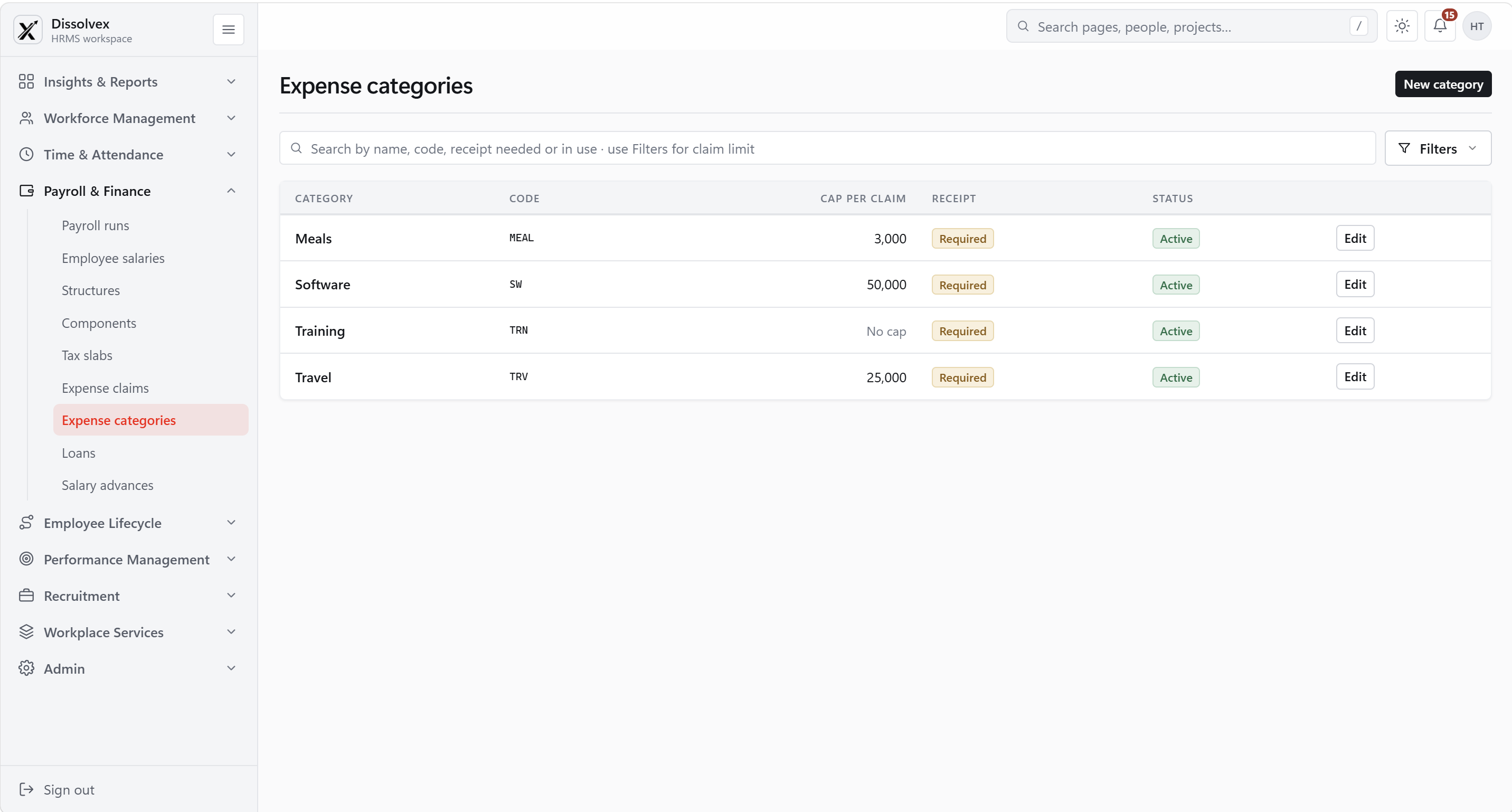
Review receipts, categories, conversion details, and department allocations behind each claim.
Give finance a clearer
view of company spend
Capture receipt details in one step
Capture key receipt fields to help employees submit a complete claim with less typing.
Review claims across currencies
Record claims in their original currency and review converted values alongside the source expense.
Flag duplicate or unusual claims
Flag possible duplicates and policy exceptions for review before approval.
Frequently Asked Questions
Common questions about claims, approvals, and reimbursement.
How to connect & get started?
Login to your account →Yes. Employees can attach receipt information for review with the expense claim.
An approved claim can move into the configured reimbursement process, including the appropriate payroll cycle.
Categories help employees file claims consistently and let finance set a claim limit or receipt requirement for each type of expense.
Yes. Submitted claims can be reviewed and approved or rejected before they enter the reimbursement process.
The claims view supports searching and filtering by details such as employee, status, date, and amount.
Claim status shows its progress from draft or submission through approval and reimbursement, so employees and reviewers can follow what happened.
Move approved expenses
toward reimbursement
Submit receipts, apply spending rules, and move approved claims into the reimbursement process.
A few cookies, and nothing more
Our website and the HRMS use what they need to work, plus two optional settings. No analytics, no advertising, no tracking.
What this stores
- dissolvex_sessionid
- Keeps you signed in to your workspace · 12 hours
- dissolvex_csrftoken
- Stops other sites sending forms as you · 1 year
- dissolvex_consent
- Remembers the answer you give here · 6 months
- dvx-session
- Signs out every open tab when you sign out of one · no personal details, just an account number
- dissolvex.navScroll
- Keeps the sidebar where you left it · this tab only
- dissolvex_nav_scrolled, dx-footer-active-link
- Keep the website's menu steady between pages · this tab only
- Razorpay
- Its own, inside the payment window, to take a payment safely · only when you pay
What this stores
- dissolvex_theme
- Light or dark mode · 1 year
- dvx-panel
- Whether you folded the sidebar away · until you clear it
Turned off, the HRMS still works — it just goes back to your device's light or dark setting, and the sidebar opens each time.