Shift Management
Plan shifts around
the way your teams work
Set up recurring shifts, plan coverage across the week, and share schedule changes with employees on mobile.
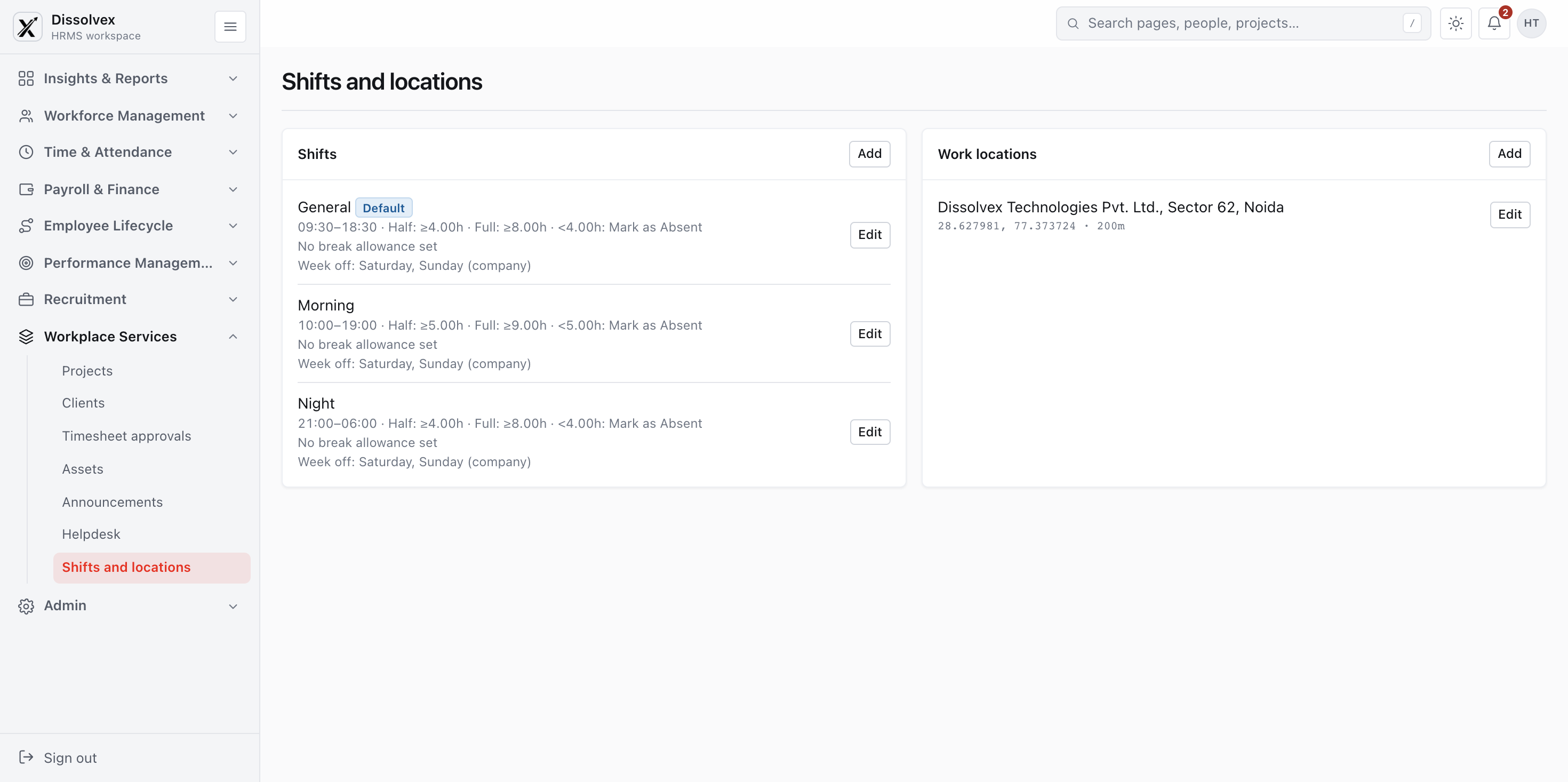
Set up recurring shifts, plan coverage across the week, and share schedule changes with employees on mobile.
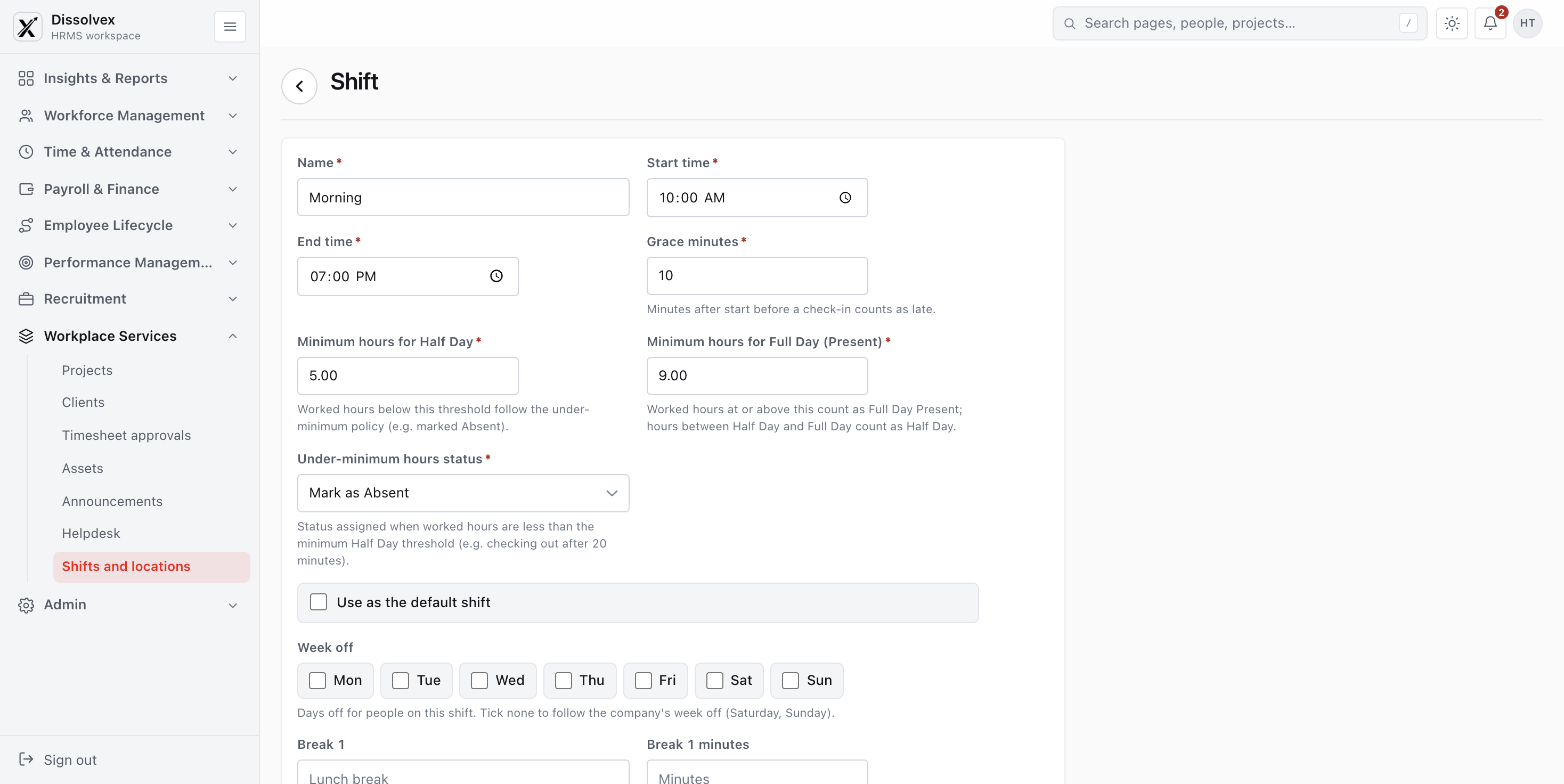
Create day, night, and rotating schedules with the grace periods, breaks, and weekend rules each team needs.
Configurable punch-in allowances with automated late-mark rules per department.
Assign rotating or location-specific rest days matching regional operations.
Seamless sync with payroll for night allowances and holiday multipliers.
Give on-call, support, and operations teams their own patterns instead of forcing one schedule on everyone.
See which employees are assigned to each shift so managers can spot gaps and balance coverage.
Define repeatable rotations, notify employees of upcoming assignments, and catch overlaps during planning.
Schedule bi-weekly, monthly, or custom cyclic rotations with zero administrative effort.
Employees receive real-time notifications on the mobile app whenever rosters change.
Automated validation flags inadequate rest periods and prevents double-booking.
Define weekends, breaks, holidays, and allowances for each shift type.
Schedule breaks and decide whether each break counts as paid time.
Share schedule changes and swaps with employees through web and mobile updates.
Common questions and answers regarding Shift management in dissolveX HRMS.
How to connect & get started?
Login to your account →Shift scheduling assigns employees to working hours and helps managers plan coverage across teams and locations.
Managers define shift timings and repeating patterns, then assign employees to the relevant schedule.
It keeps rosters, assignments, rotations, breaks, and schedule changes together.
A clear roster makes coverage gaps and overlapping assignments easier to spot before a shift begins.
Teams can set shift timings, map employees, plan rotations, and share upcoming schedules.
Yes. Managers can configure schedules and rotations for teams with different working hours.
Plan rotating shifts, manage changes, and give employees a reliable view of their upcoming work.
| Mon 16 Sep |
Tue 17 Sep |
Wed 18 Sep |
Thu 19 Sep |
Fri 20 Sep |
|
|---|---|---|---|---|---|
|
AS
Aman
Sharma |
Morning 9AM - 5PM | Morning 9AM - 5PM | Off | Evening 1PM - 9PM | Morning 9AM - 5PM |
|
PK
Priya
Kohli |
Evening 1PM - 9PM | Off | Morning 9AM - 5PM | Morning 9AM - 5PM | Evening 1PM - 9PM |
|
RT
Rohan
Tejwani |
Night 9PM - 6AM | Morning 9AM - 5PM | Morning 9AM - 5PM | Off | Night 9PM - 6AM |
|
AR
Ananya
Roy |
Off | Evening 1PM - 9PM | Night 9PM - 6AM | Morning 9AM - 5PM | Morning 9AM - 5PM |
Our website and the HRMS use what they need to work, plus two optional settings. No analytics, no advertising, no tracking.
Turned off, the HRMS still works — it just goes back to your device's light or dark setting, and the sidebar opens each time.